Many teams discover SPF, DKIM and DMARC only after a campaign starts bouncing or landing in spam. They add a record, see a green check in a tool and assume the infrastructure is finished. That assumption creates a new problem: a record can exist while the complete sending path is still misconfigured.
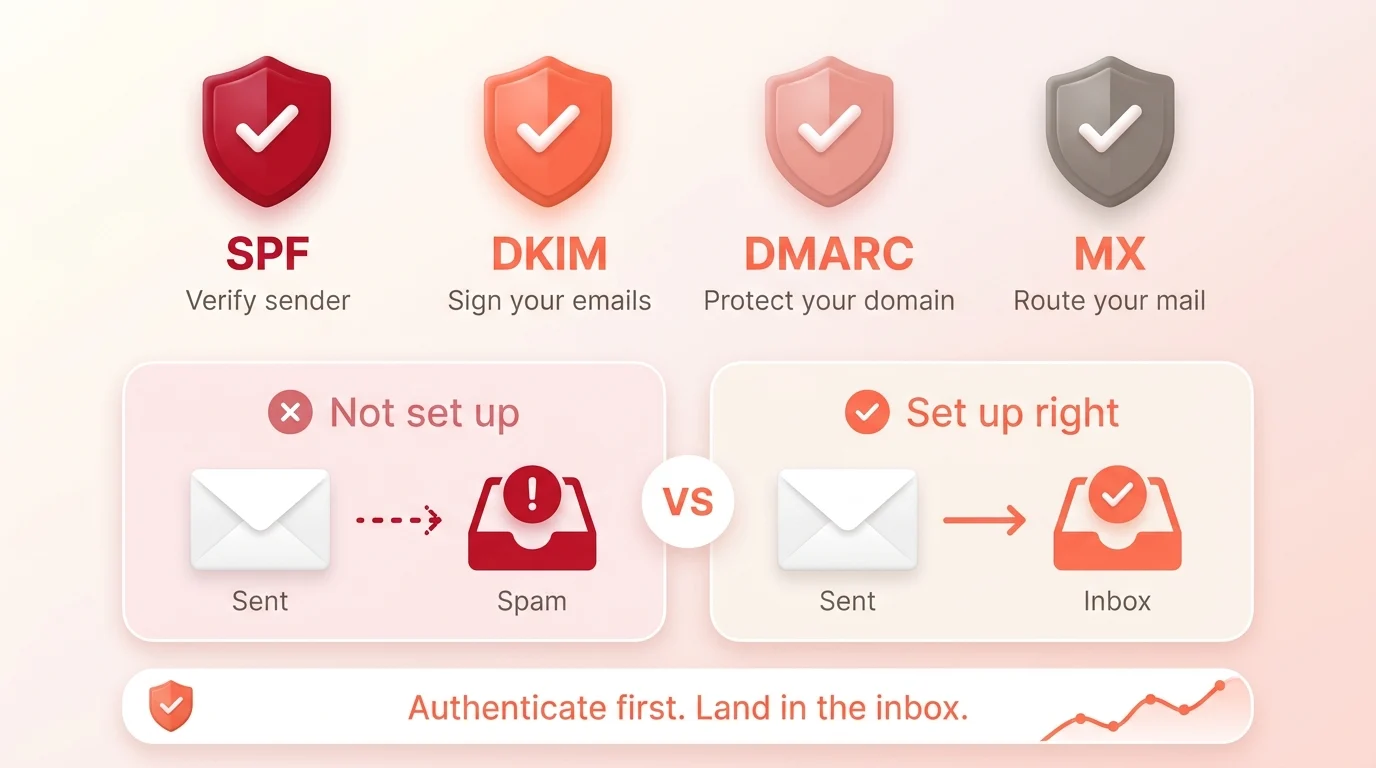
SPF, DKIM, DMARC and MX do different jobs. Understanding those jobs makes it easier to diagnose a campaign and explain what still needs human review. This guide explains SPF, DKIM and DMARC for B2B cold email, plus the MX record, in business terms.
The pain behind a passing DNS check
A typical B2B company may send mail through several systems: employee mailboxes, a CRM, a support platform, a billing tool and an outreach platform. Each service can affect the domain’s authentication and reputation.
If the SPF record omits a legitimate sender, that service may fail SPF. If DKIM signs with an unexpected domain, DMARC alignment may fail. If the visible From address is changed without reviewing the authentication path, the message may look inconsistent to a receiver. If replies or bounces route incorrectly, the team may miss signals that should stop the campaign.
The pain is not simply missing records. It is missing alignment between the records, sending systems and visible identity.
What are SPF, DKIM and DMARC records?
They are text records published in your domain’s DNS. Together they make up your domain’s email authentication. SPF lists the systems allowed to send for the domain, DKIM publishes the public key that verifies a message’s signature, and DMARC tells receivers how to check alignment and what to do when a message fails.
What SPF does
Sender Policy Framework lets a domain publish which hosts are authorized to use that domain in the SMTP envelope. A receiving system can compare the connecting sender with the published policy.
For campaign planning, SPF raises three practical questions:
- Which services send mail for this domain?
- Are all authorized senders represented in one valid SPF policy?
- Does the authenticated SPF domain align with the visible From domain when DMARC evaluates the message?
SPF does not inspect the quality of your offer or prove that a recipient wants the email. Forwarding can also complicate SPF evaluation. Treat it as an identity control, not an inbox pass.
What DKIM does
DomainKeys Identified Mail adds a cryptographic signature to a message. The receiving system retrieves the public key from DNS and verifies that the signed parts of the message have not been altered in a way that breaks the signature.
DKIM can continue to work when the message is forwarded if the signed content remains intact. That makes it a useful second authentication path. The signing domain, key management and selector still need to be configured correctly.
For a B2B campaign, confirm that every sending platform signs with an approved domain and that the key length and provider configuration meet current requirements. Google’s sender guidelines recommend stronger DKIM keys where the provider supports them.
What DMARC does
Domain-based Message Authentication, Reporting, and Conformance connects authentication to the domain shown in the visible From address. It evaluates whether an aligned SPF or DKIM result passes and lets the domain owner publish a handling preference for messages that fail.
The current IETF DMARC specification is RFC 9989, published in May 2026. It describes validation, identifier alignment, policy discovery and reporting. DMARC can help a domain owner understand legitimate and unauthorized use of the domain.
DMARC still does not create elevated delivery privilege. A correctly authenticated message can be filtered because of poor reputation, complaints, unsafe behavior or low relevance.
What MX does
Mail exchanger records tell other systems where to deliver incoming mail for a domain. MX is important for receiving replies, bounce notices and other messages. It is not an outbound authentication method.
An outreach mailbox that cannot receive replies undermines the campaign even when outbound authentication passes. Check that replies reach a monitored inbox, the mailbox can accept normal business mail and the team has an owner for positive replies, objections and opt-outs.
How alignment works, simply put
Imagine that the visible From address is alex@example.com. DMARC asks whether an authenticated identity from SPF or DKIM belongs to the same organizational domain under the selected alignment mode.
If a third-party tool sends the message but authenticates only with its own unrelated domain, the visible identity and authenticated identity may not align. The provider may offer a custom return path or DKIM signing setup to solve that problem. The exact steps depend on the service.
This is why copying a generic DNS value from an old tutorial is risky. The record must describe the real sending systems used by the business.
Common configuration failures
- More than one SPF TXT record is published for the same domain.
- A new sending service is not added to the authorized path.
- SPF lookups exceed practical protocol limits because includes are stacked carelessly.
- DKIM is enabled in the platform but the DNS key is missing or stale.
- DKIM signs with a domain that does not align with the visible From address.
- DMARC is published but reports are never reviewed.
- A strict policy is applied before legitimate services are mapped and tested.
- Reply and bounce addresses are not monitored.
- The team checks one message but not every service that sends for the domain.
How to set up SPF, DKIM and DMARC
- Inventory every system that sends mail for the domain.
- Document the visible From, return path, DKIM signing domain and reply path for each system.
- Configure and test SPF and DKIM according to the provider’s current instructions.
- Publish DMARC in a controlled way and review aggregate reporting.
- Correct alignment and unknown senders before increasing enforcement or volume.
- Test representative messages to major mailbox providers.
- Monitor authentication, reputation, bounces, replies and complaints after launch.
How CLG handles email authentication
CLG includes infrastructure readiness in email outreach planning because authentication problems can invalidate the test. We connect the technical review with the ICP, verified contact set, message sequence, sending limits and reply process.
The review does not end with a screenshot of four DNS records. It asks whether the complete campaign can send, receive, suppress and learn without putting critical business communication at unnecessary risk. See how our email outreach services work.
Frequently asked questions
Do SPF, DKIM and DMARC improve deliverability?
They improve authentication and make the sending identity easier for receivers to evaluate. Google requires or recommends them for different sender categories. They do not guarantee primary-inbox placement.
Is MX required for cold email sending?
MX is primarily an inbound routing record. A working inbound path is operationally important because prospects, providers and bounce systems need to reach the domain.
Can we copy another company’s SPF record?
No. An SPF policy should represent the services authorized to send for your domain. Copying another organization’s record can authorize the wrong systems and omit the right ones.
Should DMARC start with reject?
Not automatically. Map legitimate senders, test SPF and DKIM alignment, collect and review reports, and choose a policy with qualified technical support. Moving too quickly can block valid business mail.
Review the complete sending path
Authentication is necessary infrastructure, but it works inside a larger campaign. If you need help connecting domain setup, verified contacts, message planning and follow-up, ask CLG to review the outreach system before the pilot begins.